Notion vs Google Sheets isn't really a fair fight, because they're built to do different jobs. Notion organises pages, notes and loosely-structured information — a wiki that happens to have databases. Google Sheets calculates — a grid built for numbers, formulas and totals that update themselves. The question worth asking isn't which is better, it's which job you actually have this week.
Want to try both without picking blind? The Notion Second Brain and the All-in-One Finance Dashboard in Google Sheets are both free to duplicate and adapt.
What each one is actually built for
Notion's core unit is the page: a flexible block of text, images, embeds and linked databases that reads like a document you can also filter and sort. It's strongest for anything that's mostly words with a bit of structure attached — notes, a wiki, a project tracker, a life system.
Google Sheets' core unit is the cell: a grid built for formulas, running totals and numbers that need to update themselves the instant something changes. It's strongest for anything that's mostly numbers with a bit of structure attached — a budget, an expense log, an inventory, a gradebook.
Put a paragraph of notes in Sheets and it becomes an unreadable wall in one cell. Put a real budget in Notion and you'll be building formulas Notion was never designed to make easy. Neither tool is bad at the other's job — they were never trying to do it.
Where the answer is actually close
For anything genuinely in the middle — a content calendar, a simple habit tracker, a light CRM — both tools can do the job adequately, and the honest answer is that it comes down to which interface you'd rather open every day. If you already live in Notion for notes and tasks, keeping a lightweight tracker there too avoids the friction of a second app. If numbers already live in your head as a grid, Sheets will always feel faster for that same tracker.
Two real differences worth knowing before you choose
Offline access works differently on each
Notion added proper offline support in version 2.53, but it works per-page: you open a page, tap the menu and switch on "Available offline" for that specific page, and it's only downloaded on the device where you did it. Notion's own guide confirms that paid plans (Plus, Business, Enterprise) auto-download your Recents and Favourites, but the free plan doesn't — so free-plan offline access is opt-in, page by page.
Google Sheets works offline too, but through a different mechanism: you need Chrome or Edge with the Docs Offline extension turned on, and Google's own help centre confirms it's browser-based rather than tied to a native desktop app the way Notion's is. Real-time collaboration — seeing someone else's cursor move — only works with an internet connection either way; that part isn't optional on either tool.
What happens with many editors at once
Google's documented limit is up to 100 people editing, viewing or commenting on a single Sheet simultaneously — past that, only the owner and some editors retain edit access, everyone else drops to view-only. Notion doesn't publish an equivalent hard number for a single page, and in practice a shared workspace is built around pages and permissions rather than one document holding a crowd — the comparison isn't really apples to apples here, which is itself informative: Sheets is built to be one shared object many people edit at once, Notion is built to be many pages each with their own audience.
Which one actually fits your task
A few genuine examples rather than a vague "it depends":
- Tracking a budget with formulas that update themselves — Google Sheets. Our All-in-One Finance Dashboard or Budget by Paycheck both do the arithmetic invisibly the moment you enter a number.
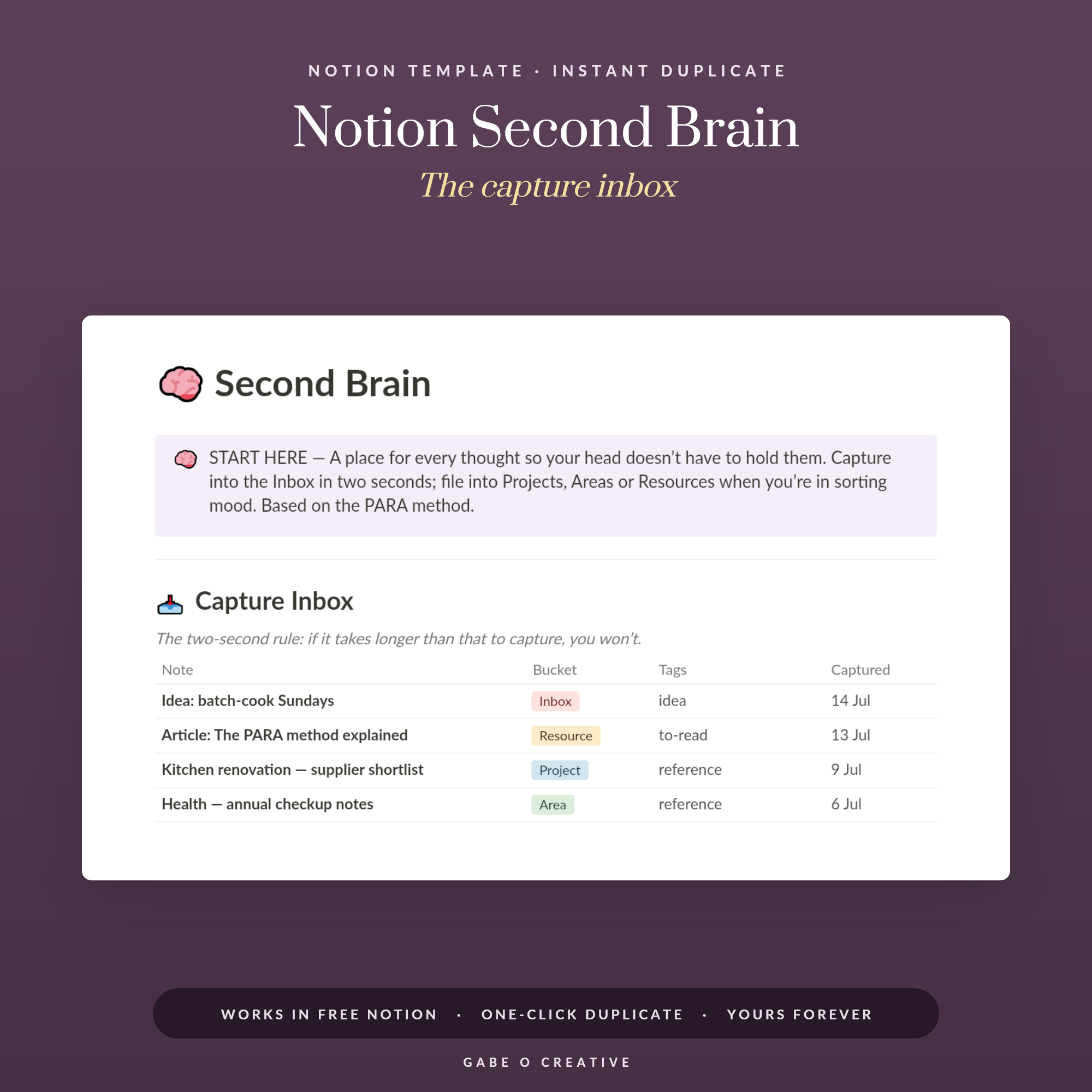
- Capturing notes, ideas and links you'll want to find again — Notion. The Notion Second Brain is built around a two-second capture inbox specifically because that's the job Notion does well and a spreadsheet does badly.
- A whole-life dashboard mixing goals, habits and light numbers — genuinely close. The Notion Life OS handles this if you want everything in one page-based view; a Sheets dashboard suits it better if the numbers side (a money tracker, a habit count) matters more to you than the notes side.
- A gradebook, inventory or anything with real per-row maths — Google Sheets, without much debate. Averages, running totals and conditional formatting are what the grid is for.
Notion vs Google Sheets FAQs
Is Notion or Google Sheets better for budgeting?
Google Sheets, generally. Budgeting needs formulas that recalculate instantly as numbers change, which is what a spreadsheet grid is built for. Notion can hold a budget table, but you'll be working against the tool rather than with it for anything beyond simple totals.
Can Notion do what Google Sheets does?
Notion has databases with some formula support, but they're built for organising and filtering information, not for the kind of dense, interlinked calculation a spreadsheet handles natively. For anything with real per-row maths, Sheets is the more direct tool.
Does Notion work offline?
Yes, since version 2.53, but per page rather than the whole workspace at once — you switch on "Available offline" for each page individually, and paid plans additionally auto-download your Recents and Favourites.
Does Google Sheets work offline?
Yes, through the Google Docs Offline extension in Chrome or Edge, which needs to be turned on in advance. It's a browser-based mechanism rather than a native desktop app the way Notion's offline mode is.
Can multiple people edit Notion or Google Sheets at the same time?
Both support real-time collaboration with an internet connection. Google publishes a documented limit of up to 100 simultaneous editors, viewers or commenters per Sheet; Notion doesn't publish an equivalent single-page number, since its structure is built around many pages with their own permissions rather than one shared document.
Should I switch from Google Sheets to Notion, or the other way round?
Only if the job you're using it for doesn't actually fit the tool — a notes-heavy Sheet that's become unreadable, or a numbers-heavy Notion database fighting its own formulas. If the current tool is working, matching it to a job it's already doing well is rarely worth the migration effort.
Ready to try either, without committing blind? Duplicate the Notion Second Brain for notes and capture, or the All-in-One Finance Dashboard for the numbers side — or browse the full Notion and Google Sheets collections.